


Cartoon Photo Editor: Facee
4.135.00 Reviews
App Specs
- Version
- 2.2.0
- Updated On
- License
- Free
- Downloads
- 1,000,000+
- Developer
- Palette Cartoon Photo Editor APP
- Categories
- Video Players & Editors
- Platform
- Android
Screenshots
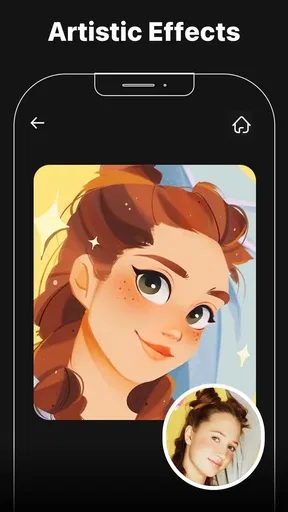
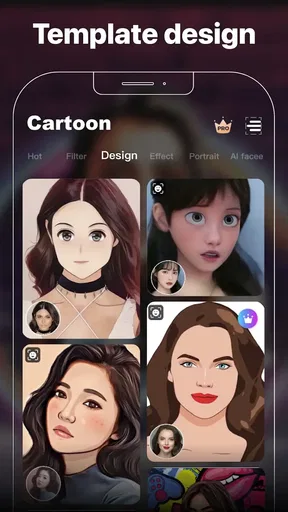
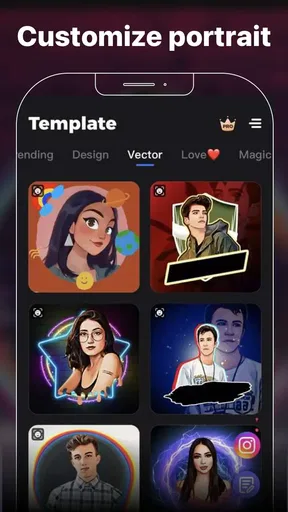
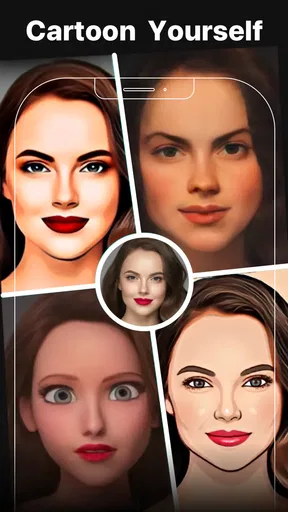
 Analysis by AppCompare
I tried Cartoon Photo Editor: Facee as a quick way to turn ordinary pictures into stylized images, and its appeal is easy to understand: it puts playful cartoon and anime-inspired treatment at the center instead of asking me to learn a full photo-editing workflow. It is a free app in the video players and editors category, although optional purchases range from $0.99 to $31.99 per item. My overall impression is that it works best as a fast idea generator for social posts, profile images, messages, and light creative experiments, rather than as a complete replacement for a serious photo editor.
The app comes from Palette Cartoon Photo Editor APP and is suitable for Everyone. It has reached over one million installs, with an average score of 4.1 from around five thousand ratings. Those figures suggest that it has found a clear audience, but they also set the right expectation: this is a focused effects tool, not an all-purpose studio. I would recommend approaching it as a simple creative shortcut. When the source photo is suitable, the result can be immediately fun; when the lighting, framing, or facial detail is poor, the cartoon treatment cannot completely rescue it.
From an ordinary photo to a workable creative idea
Before I start editing, I decide what the picture needs to become: a profile image, a playful message, or simply a visual experiment. That small choice helps me pick a source photo with a clear subject instead of scrolling through pictures at random. With the idea set, the next step is shaping the image while keeping its original purpose in view.
Why the starting image matters more than the filter
The first useful lesson I took from Facee is that the input image does much of the creative work. A front-facing portrait with a visible face, reasonably even light, and a clean background gives the effect more to work with than a dark snapshot, a heavily cropped face, or a group photo where several people overlap. That may sound obvious, but it changes how I use the app: instead of applying effects randomly to my entire camera roll, I first choose pictures with a clear subject and a recognizable expression.
For a profile picture, I would select a portrait with enough space around the head so the transformed image does not feel cramped. For a post or greeting, I would choose a photo where the pose already communicates something, because the cartoon treatment adds style but does not invent a strong composition. A smiling face can become a friendly avatar, while a busy party photo may simply turn into a confusing collection of outlines and colors.
The app’s focus on 3D cartoon effects and cute anime-style filters makes it particularly suitable for expressive, character-like images. I found that this direction is more useful when I have a specific mood in mind: playful, soft, dramatic, or deliberately artificial. It is less convincing when I want a natural retouch or a faithful photographic finish. That distinction is important before starting, because the best result is not necessarily the one that looks most realistic.
A practical brief before opening the editor
I get better results when I decide the destination first. If I am making a small image for a chat message, I can be generous with the effect and choose something exaggerated. If I am preparing a public profile image, I prefer a cleaner transformation that keeps the face recognizable at a glance. For a creative post, I may test a few different moods and compare them side by side before choosing one.
Worth Reading Before You Choose

EA SPORTS FC Mobile 26 Is a Bigger Football Game, but It Takes Time

Flipboard Shows What News Apps Must Do Beyond the Feed

Switching to Android Auto Means Rethinking Your Driving Routine

Google Calendar Makes a Crowded Week Easier to Manage

Ludo King Makes the Most of the Minutes Between Plans

Baby Panda World Brings Quick Play to Modern Phones, but Its Game Library Feels Busy
This simple brief also prevents a common problem with effect-based apps: collecting many attractive previews without finishing anything. Facee is easy to treat like a visual toy, but it becomes more useful when I give each picture a job. A portrait can become an avatar, a family image can become a digital greeting, and a pet or travel photo can become a small illustrated memory. The app is strongest when the effect supports that purpose rather than becoming the purpose itself.
Where it fits among familiar alternatives
Compared with a conventional photo editor, Facee offers a narrower but faster path. A traditional editor gives me more control over exposure, color, cropping, layers, and precise retouching. That is the better choice when I need a polished image, consistent branding, or careful correction. Facee is more appealing when the creative decision is mainly “which cartoon interpretation suits this picture?” rather than “how do I manually build the final image?”
It also differs from general social camera apps. Those often emphasize live effects, quick sharing, or a broader mix of beauty adjustments and overlays. Facee feels more focused on transforming an existing photo into a stylized result. I would choose it after taking the picture, especially when I want to revisit an older portrait instead of making a new one in real time.
Making the image without losing control of the idea
I find it easier to judge a cartoon treatment when I change one creative decision at a time and compare the result with the untouched photo. That makes it clearer whether the effect is helping the expression and composition or just adding novelty. Once a version feels promising, I can look more carefully at how small details hold up.
Testing effects as variations, not as random decoration
My preferred workflow is to keep the original image untouched, apply one visual direction, and judge the result at normal viewing size rather than zooming in immediately. A face can look impressive in a close preview but lose important detail once it becomes a small profile image. Checking both views helps me decide whether the effect is genuinely usable or merely eye-catching for a moment.
I also avoid changing too many things at once. If the first result feels wrong, I go back to the source and try a different style rather than repeatedly modifying an already transformed image. That keeps the comparison fair and avoids building a muddy result through successive edits. The app is most effective as a series of clean alternatives: original photo, first treatment, second treatment, and then a deliberate choice.
One non-obvious advantage of this approach is that it turns the app into a mood board for a larger project. I can use several versions of the same portrait to decide whether a future illustration should feel cute, bold, or more dimensional. Even if I do not publish the generated image, it can help me settle on a visual direction before moving into a more capable editor.
Handling faces, backgrounds, and imperfect photographs
Face-centered effects naturally draw attention to eyes, hair, skin, and facial shape. That means small problems in the original may become more noticeable after processing. Stray objects behind the subject, harsh shadows, and unusual angles can compete with the face once the image has been stylized. I usually crop distractions before applying an effect, but I keep enough background to preserve context when the image is meant to tell a story.
Group portraits require extra patience. If one face is turned away or partly hidden, the overall transformation may feel inconsistent. For a group, I would test the image carefully and accept that a single-person crop may be stronger. This is one of the situations where a conventional editor is better: it gives me the tools to prepare separate portraits, arrange them intentionally, and control the final composition rather than relying on one automatic treatment.
Another practical tip is to judge skin and hair separately. Some cartoon styles can make skin look pleasantly smooth while simplifying hair into a broad shape. That may be perfect for an avatar, but less suitable when the hairstyle is central to the image. If the person needs to remain identifiable through distinctive hair or accessories, I would favor the version that preserves those cues, even if another filter looks more dramatic.
Using the app for a real everyday task
Imagine I need a friendly image for a messaging group after a weekend trip. I would choose one clear portrait from the trip, crop away unrelated people, try a softer cartoon treatment, and compare it with a more colorful anime-style version. I would then use the one that keeps the face recognizable at the small size used in a chat list. The process is quick, and the result feels more personal than a generic sticker, while still being playful enough for casual sharing.
For a small creator account, I could use the same process to make a rotating set of illustrated profile images. The important trade-off is consistency. If every post uses a completely different visual treatment, the account may feel scattered. I would therefore select one or two styles and reuse them deliberately, keeping the original photos available so I can recreate the look later if needed.
Iteration: deciding when the result is actually finished
For me, finishing is less about finding the most dramatic transformation and more about choosing an image that stays recognizable in its intended setting. A result that looks lively up close may become busy as a small avatar, so I check both the mood and the overall clarity before settling on one. After that decision, I can prepare the image for wherever it is going next.
Compare for clarity, not just novelty
When I review several versions, I ask three questions. Can I still recognize the subject? Does the effect support the intended mood? Does the image remain readable after being reduced? These checks are more useful than choosing the version with the strongest immediate “wow” reaction. A highly exaggerated result may be entertaining in the editor but unsuitable for an avatar, thumbnail, or small post preview.
I also look for visual fatigue. Some effects are enjoyable for a single image but become repetitive when used across a series. If I am preparing several pictures from one event, I might use the same general style while varying the crop or selecting only the strongest portraits. This makes the set feel connected without turning every image into an identical copy.
What the app cannot replace
Facee is not the right tool when I need precise typography, multi-image layouts, detailed color correction, or a carefully managed brand palette. It is also not my first choice for professional retouching, print preparation, or projects where every facial feature must remain accurate. In those cases, I would start with a full editor and perhaps use Facee only during the concept stage, if I wanted to explore a cartoon direction.
There is a similar limitation with repeatability. A creator who needs a tightly controlled visual system may find automatic stylization less predictable than manual editing. Even if two source photos are taken in similar conditions, their faces, backgrounds, and lighting can lead to noticeably different results. That unpredictability is part of the fun for casual use, but it can be frustrating for a campaign or an organized content library.
Keeping a clean creative workflow
I recommend treating the original photo as the master and the stylized version as a separate output. That way, I can revisit the image later for a different crop, a different filter, or a completely different project. I also make my selection before sharing rather than publishing every variation. This sounds like a small habit, but it saves time and keeps a personal gallery from filling with near-duplicates.
For creators, the handoff question matters as much as the effect. Before sending an image to another app, I check whether it has the framing and visual emphasis I need. If I plan to add text, I leave breathing room around the face. If I plan to use it as a small icon, I test the crop early. Facee can produce the central visual, but the final composition may still need another tool.
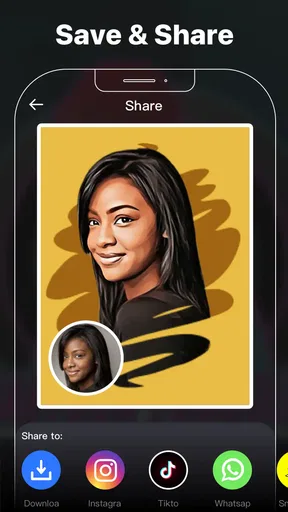
Export and handoff for sharing or further editing
I treat the selected cartoon image as one piece of a larger task: it may be ready to share on its own, or it may need a separate editor for a caption, crop, or layout. Leaving a little visual breathing room around the subject makes that handoff easier, especially if text will be added later. The final check is whether the image feels complete at its destination, not only inside the editor.
Choosing the next destination
The app makes the most sense when the transformed image is part of a larger, simple workflow. I might create the cartoon portrait in Facee, move it into a messaging app, place it inside a social post, or continue editing it elsewhere. For a quick share, I want a result that needs no extra work. For a designed post, I treat the image as an asset and leave room for captions, borders, or other elements in the next editor.
This is where I would avoid over-editing. If the cartoon effect already provides strong color and shape, adding several stickers, filters, and overlays afterward can make the image feel crowded. A restrained handoff usually works better: one stylized portrait, a simple background, and typography that does not compete with the face. The app supplies the character; another tool can handle the layout if necessary.
Questions about cost and suitability
The app is free to start, which makes it easy to test without committing money immediately. Optional in-app purchases are listed from $0.99 to $31.99 per item, so I would check the purchase prompt carefully before treating every visible effect or workflow as part of the free experience. For occasional users, the free entry point may be enough to decide whether the style suits them. Frequent creators should consider whether paid items provide enough practical value for their actual publishing routine.
It supports devices running Android 6.0 or later, and the current version is 2.2.0. That makes compatibility worth checking before installation, particularly on an older phone. I would also keep expectations realistic on less powerful hardware: effect processing can feel less comfortable when a device is already short on storage or running many background tasks, even though the creative decision itself remains simple.
Who should use it, and who should skip it
I think Facee is a good match for someone who wants quick cartoon portraits, anime-inspired experiments, or a more playful profile image without learning a complex editor. It is especially approachable for casual creators, families making personalized greetings, and social users who want to transform existing photos rather than take everything from scratch.
I would skip it if my main need were professional retouching, detailed compositing, precise design control, or a consistent production pipeline for many images. A full photo editor would be a better investment of time in those cases. I would also avoid choosing it solely because an effect looks impressive in a preview; the right question is whether the finished image works at its intended size and destination.
My creator verdict after the full workflow
Cartoon Photo Editor: Facee succeeds because it keeps the creative starting point clear. I can begin with a familiar portrait, explore a stylized interpretation, and reach a shareable idea without navigating a crowded professional interface. Its 3D cartoon and anime-inspired direction gives it a distinct purpose, and the focused workflow is more inviting than a large editor when I simply want a character-like result.
Its weaknesses are equally clear. The app cannot solve a poor source photo, replace careful composition, or provide the control required for serious production work. Results can vary depending on the face, lighting, and background, and optional purchases mean I would pay attention during the editing process. Those are not deal-breakers for me, but they define the audience accurately.
With an Everyone age rating, a free starting point, and a substantial install base, it is easy to try as a lightweight creative tool. My recommendation is to use it with a small brief, preserve the original, compare variations at the size where they will be seen, and hand the chosen image to another editor only when layout or finishing work demands it. For quick personal artwork and playful publishing, the strongest workflow is not maximum editing; it is choosing the right photo and stopping at the right moment.
Pros
- Turns ordinary photos into colorful cartoon-style portraits quickly.
- Offers multiple artistic filters for different illustration effects.
- Simple interface makes editing accessible for beginners.
- Useful for creating profile pictures and social media posts.
- Edits can usually be completed without advanced photo-editing skills.
Cons
- Some effects may look repetitive or lack fine customization options.
- The strongest filters may require watching ads or making purchases.
- Results can vary depending on lighting
- image quality
- and facial details.
- Exported images may have limited resolution in certain editing modes.
- Privacy terms should be checked before uploading personal photos.
FAQs for Cartoon Photo Editor: Facee
What is Cartoon Photo Editor: Facee, and what can I do with it?
Cartoon Photo Editor: Facee is a photo-editing app designed to transform ordinary pictures into cartoon-style portraits and creative illustrations. You can usually import an image from your gallery or take a new photo, then apply artistic filters, adjust the final result, and save or share it. It is mainly intended for profile pictures, social media posts, avatars, and casual creative edits.
Is Cartoon Photo Editor: Facee free to download and use?
The app may be available to download at no initial cost, but some features can depend on advertisements, in-app purchases, premium effects, or subscription options. Before editing extensively, check the current listing in Google Play or the App Store for pricing details, trial conditions, and restrictions. Availability of specific filters and tools may vary according to the version installed and your device.
Does Cartoon Photo Editor: Facee require an internet connection?
Basic functions may work with photos already stored on your phone, but an internet connection can still be required for downloading filters, processing images through online services, displaying advertisements, or accessing premium content. If you plan to use the editor while traveling or offline, test the main cartoon effects beforehand. Results and available tools may differ when the device has limited connectivity.
Are my photos safe when I use Cartoon Photo Editor: Facee?
You should review the app’s privacy policy and permissions before importing personal photos. Some editing tools process images locally, while others may upload pictures to remote servers to create artistic effects. Avoid using sensitive images until you understand how files are handled, whether they are retained, and what data is collected. Also check its access to storage, camera, advertising identifiers, and other device information.
What kind of photos produce the best cartoon results in Facee?
Clear, well-lit photos with a visible face generally produce the most convincing cartoon effects. Front-facing portraits with good contrast and minimal obstruction tend to be recognized more accurately than dark, blurry, distant, or heavily edited images. For group photos, results can vary because facial features may be detected unevenly. Cropping the image around one person before applying an effect can often improve the final appearance.


